Guide
DV-2027 photo mistakes and how to avoid them
Why one photo mistake matters
The photo is checked twice. Some problems, such as the wrong size, can stop the upload on the entry form. Others are only noticed later, and the latest DV instructions warn that a photo that does not meet the requirements can disqualify the entry. You cannot fix the photo once the entry is submitted, so check it first.
File mistakes
- The wrong size. The photo must be square and exactly 600 × 600 pixels (digital image requirements). A phone photo is a tall rectangle several thousand pixels high, so it has to be cropped and resized.
- Too big a file. The limit is 240 kB. Keep it at or under 240,000 bytes, which is under the limit whichever way "kB" is read.
- Squeezed too hard. The compression ratio should be 20:1 or less, so a 600 × 600 photo should be at least about 54 kB. A tiny, blocky file is as risky as a big one.
- The wrong format or colour. It must be a JPEG in colour (24-bit sRGB). iPhone HEIC files, PNG screenshots and black-and-white photos are not accepted as they are.
Framing mistakes
- The head too small or too big. From the top of the hair to the chin, the head must be 50–69% of the image height (300–414 pixels). A photo taken from across the room leaves the head too small.
- The eyes too low or too high. The eye line must be 56–69% of the way up from the bottom of the photo (photo composition template).
- Not facing the camera. The full face must look straight at the camera, centred and not tilted.
- Cut out of another picture. A face cropped from a group photo, an ID card or a passport scan is a copy, not a photo, and is not accepted.
Background and light mistakes
- A busy or coloured background. It must be plain white or off-white. A bookshelf, a patterned wall or a street behind you is the most common reason the checker fails a photo.
- Shadows. No shadows on the face or behind you. Face a window so the light is soft and even, and stand a step away from the wall.
- Too dark, too bright or blurry. The photo must be in focus and properly exposed. Avoid the flash and harsh sun, and hold the phone still.
Face and clothing mistakes
- Glasses. Eyeglasses are not allowed in visa photos, except in rare medical cases with a doctor's statement (photo requirements). Take them off.
- A smile or closed eyes. Keep a neutral expression with your mouth closed and both eyes open.
- Hats and headphones. Hats and head coverings are only allowed for religious or medical reasons, with the full face visible, and headphones and similar devices are not allowed.
Old, reused and edited photos
- An old photo. It must be taken in the last 6 months, and you cannot use the same photo as on an earlier year's entry.
- Editing. Filters, beauty modes and changes to your face are not allowed, and the DV instructions warn that a manipulated photo can disqualify an entry. That is why the DV Lottery Photo Tool keeps your photo's own background instead of replacing it: take the photo in front of a plain light wall.
- One photo for the whole family. Your spouse and every child on the entry need their own photo, with nobody else in it, not even a parent's hand holding a baby. See DV photos for your spouse and children.
Check the photo before you submit
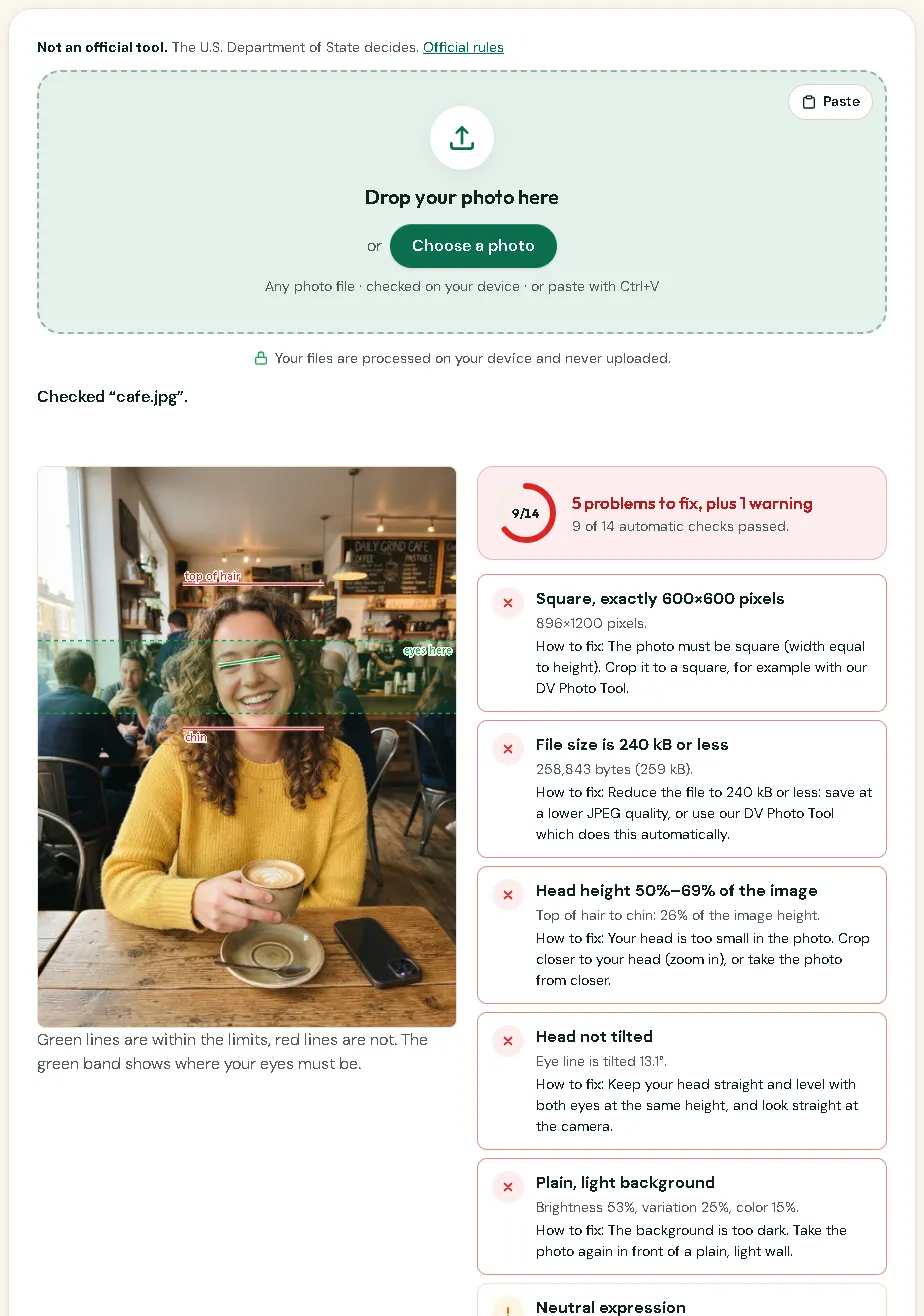
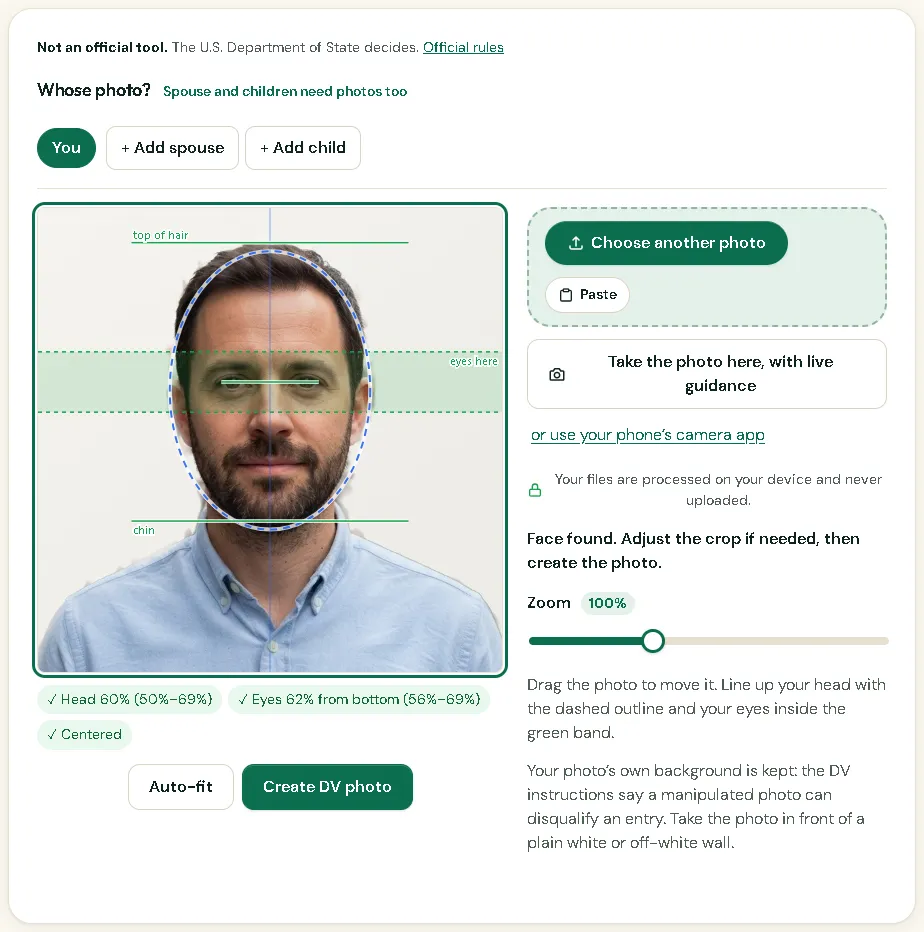
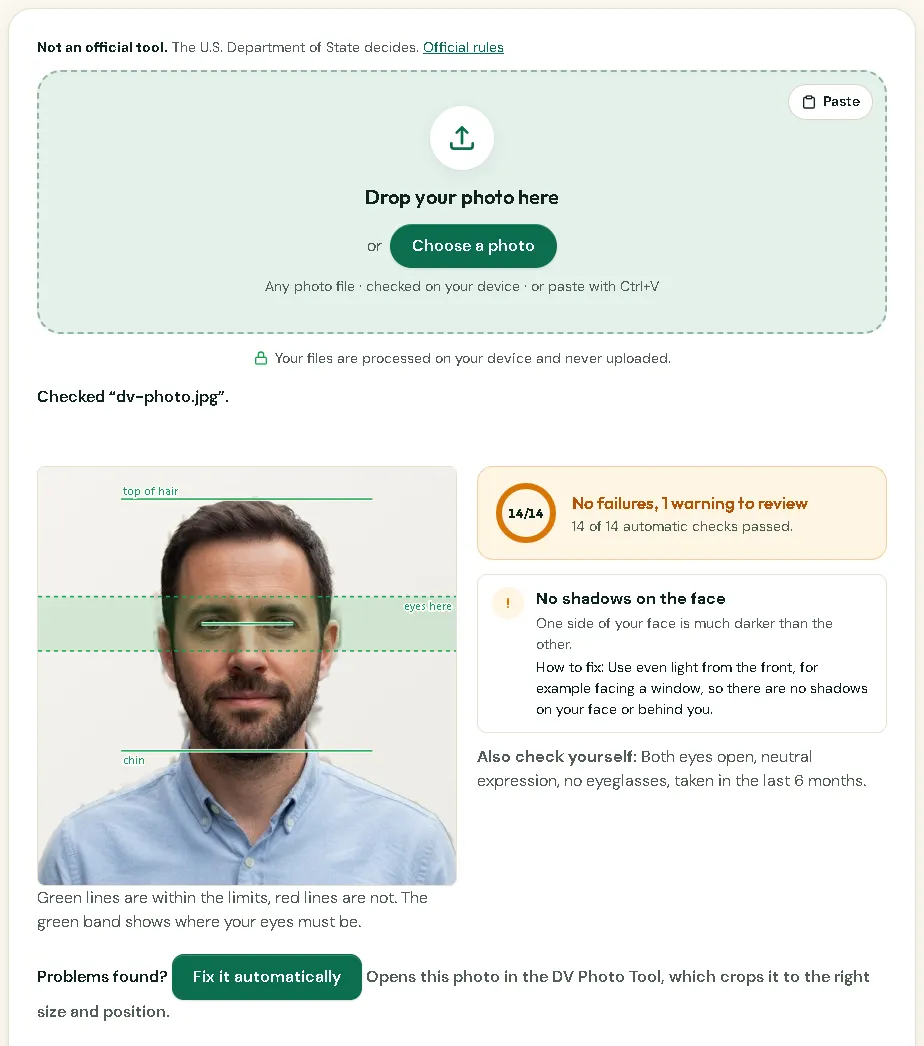
The DV Photo Checker runs 14 automatic checks on a photo you already have: size, file, head height, eye line, background, light, sharpness and more. Each problem comes with how to fix it, and "Fix it automatically" opens the photo in the DV Lottery Photo Tool, which crops and sizes it for you. Both run on your phone and never upload the photo. Some rules, such as when the photo was taken, only you can check.
How it looks in Picsawa
Screenshots of the free DV Lottery Photo Checker tool, made with sample photos.
Sources
- travel.state.gov — Visa photo requirements
checked 23 October 2026 - travel.state.gov — Digital image requirements
checked 11 October 2026 - travel.state.gov — Photo composition template
checked 11 October 2026 - travel.state.gov — DV-2026 instructions (PDF, latest published)
checked 11 October 2026
Picsawa is not affiliated with any government. The issuing authority makes the final decision, so always check its official instructions before you submit.
Frequently asked questions
What is the most common DV photo mistake?
A background that is not plain white or off-white, followed by a head that is too small in the frame and a file that is not exactly 600 × 600 pixels.
Can I edit the background of my DV photo to white?
It is safer not to. The DV instructions warn that a manipulated photo can disqualify an entry. Take a new photo in front of a plain light wall instead.
Can I wear glasses in my DV-2027 photo?
No. Eyeglasses are not allowed in U.S. visa photos except in rare medical cases with a signed statement from a doctor.
Can I use the same photo as last year?
No. The photo must be taken in the last 6 months, and a photo from an earlier year’s entry is not accepted.