Guide
KB vs MB: why forms reject your photo, and how to fix it
KB and MB in plain numbers
| Unit | Bytes | Also written as |
|---|---|---|
| 1 KB (kilobyte) | 1,000 | kB |
| 1 MB (megabyte) | 1,000,000 (1,000 KB) | 0.05 MB = 50 KB; 0.2 MB = 200 KB |
| 1 KiB (kibibyte) | 1,024 | “KB” in Windows |
| 1 MiB (mebibyte) | 1,048,576 | “MB” in Windows |
The international system defines kilo as 1,000; the 1,024 units have their own names, KiB and MiB, says NIST. Windows still labels them KB and MB, so the same file looks smaller there: 50,000 bytes shows as 48.8 KB. When a form says 50 KB, aim for 50,000 bytes or less and you pass either way.
The four reasons a form says no
- Too big. The most common one. Phone photos are several MB; many forms allow a few dozen KB.
- Too small. Some forms set a minimum: the IBPS notice wants photos of 20–50 KB, and GOV.UK at least 50 KB. Compressing far below the limit fails too.
- Wrong pixels. A file of the right size can still have the wrong width and height.
- Wrong format. “JPEG only” means a real JPEG. Renaming photo.heic or photo.png to photo.jpg doesn’t convert it, and many forms check.
| Upload | File size | Pixels |
|---|---|---|
| IBPS photo | 20–50 KB | 200 × 230 (preferred) |
| UK online passport | 50 KB to 10 MB | At least 600 × 750 |
| U.S. visa and DV Lottery | Up to 240 kB | Square, 600 × 600 to 1200 × 1200 |
| U.S. passport online renewal | 54 KB to 10 MB | Not given on the page |
Sources: GOV.UK, travel.state.gov digital image requirements, travel.state.gov online renewal photo.
Pixels decide the file size
A 12-megapixel phone photo is about 4000 × 3000 pixels: 12 million dots. A 200 × 230 form photo has 46,000, about 260 times fewer. That is why shrinking the pixels is the first and most effective way to cut the KB.
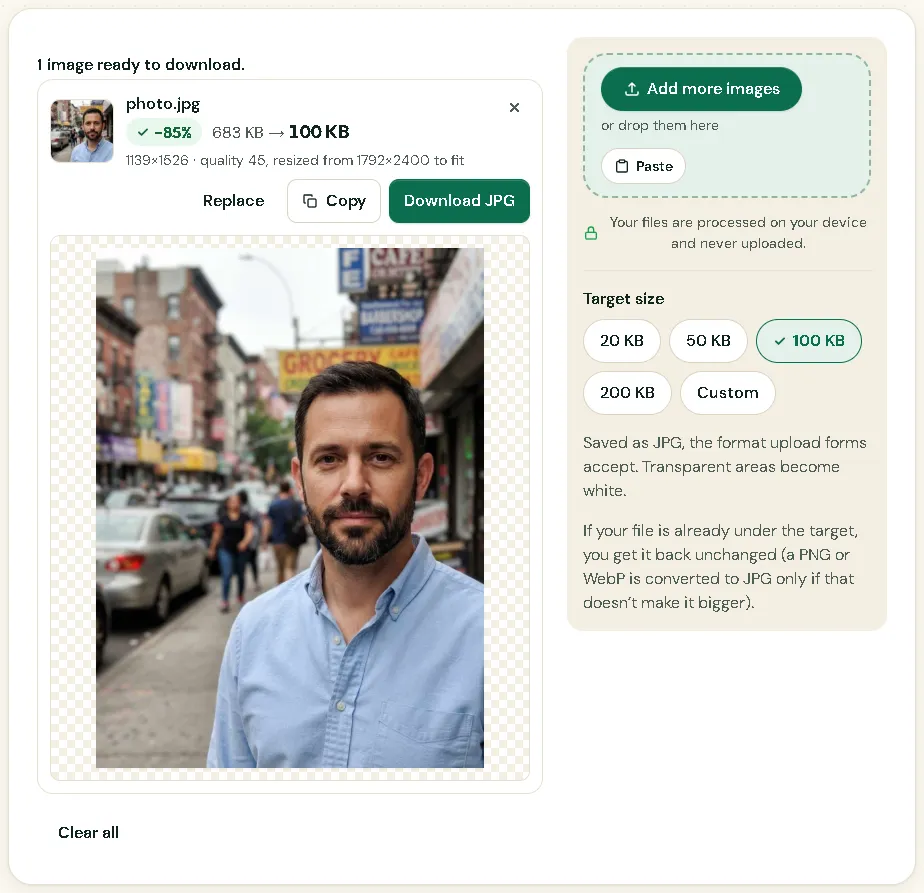
Two other things matter: the JPEG quality, and how much detail the picture holds. A face against a plain wall compresses far better than a busy street or a grainy photo taken in the dark. In the screenshot below, a 683 KB photo became 100 KB by going from 1792 × 2400 to 1139 × 1526 pixels at quality 45.
Pixels vs DPI and centimetres
DPI (dots per inch) only says how big the image should be when printed. Changing a photo from 72 to 300 DPI doesn’t add pixels, doesn’t make it sharper, and barely changes the file size. If a form gives pixels, the pixels are what count.
When a form gives centimetres or inches, convert: pixels = centimetres ÷ 2.54 × DPI.
- IBPS asks for the thumb impression as 240 × 240 pixels at 200 DPI (3 × 3 cm, preferred): 3 cm ÷ 2.54 × 200 ≈ 236, rounded to 240.
- A U.S. passport photo is 2 inches; at 300 DPI that is 600 × 600 pixels.
- SSC gives its signature in centimetres only (about 6.0 × 2.0 cm) and no DPI, so the pixels aren’t fixed. At 200 DPI it is 472 × 157; the SSC page marks this as Picsawa’s choice.
Fix it in this order
- Convert to a real JPG if needed: HEIC to JPG or PNG to JPG.
- Crop and resize to the exact pixels: Crop Image, then Resize Image. For ID photos, the Passport Photo Maker does both.
- Compress with Compress to Exact Size: pick a target just under the maximum, such as 48 KB for a 50 KB limit. Small images keep their pixels; only the quality changes.
- Check the minimum. If the result is below it, use a higher target.
Always start again from the original photo. Each round of JPEG compression adds blur.
How to check size and pixels
- Windows: right-click the file, Properties. “Size” shows the exact bytes; the Details tab shows width and height.
- Mac: select the file and press Command + I.
- iPhone: in the Photos app, swipe up or tap the ⓘ button for pixels and size.
- Android: open the photo’s details from the gallery or the Files app.
Picsawa shows the new size, pixels and quality before you download.
How it looks in Picsawa
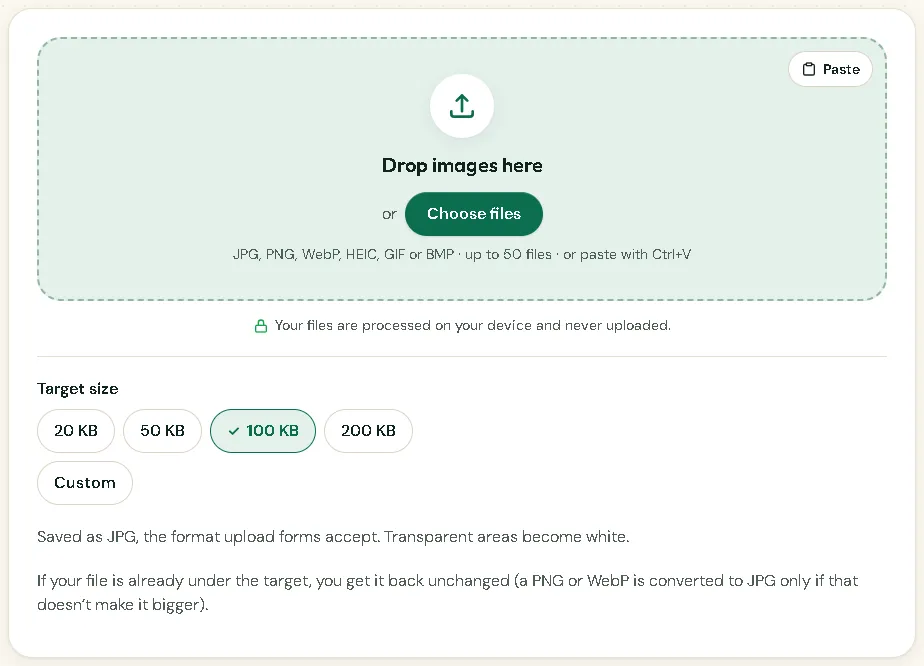
Screenshots of the free Compress to Exact Size tool, made with sample photos.
Sources
- NIST — Prefixes for binary multiples
checked 7 November 2026 - gov.uk — Photos for passports
checked 7 November 2026 - travel.state.gov — Digital image requirements
checked 11 October 2026 - travel.state.gov — Uploading a digital photo (online renewal)
checked 7 November 2026 - IBPS — CRP PO/MT-XVI notification, Annexure III (PDF)
checked 6 November 2026 - SSC — Combined Graduate Level Examination 2026 notice (PDF)
checked 6 November 2026
Frequently asked questions
Is 1 MB 1,000 KB or 1,024 KB?
Officially 1,000 KB. Windows counts 1,024, so the same file looks slightly smaller there. Upload forms usually count in thousands, so stay under the limit in bytes.
Windows says 49 KB, but the form says my file is over 50 KB. Why?
49 Windows KB is 50,176 bytes, which is over 50,000. Compress to a target of 48 KB to be safe.
Will setting 300 DPI make my photo better?
No. DPI is only a print setting stored in the file; the pixels and the picture stay the same.
How many MB is 20 KB?
0.02 MB. 100 KB is 0.1 MB and 500 KB is 0.5 MB.
Why do forms set a minimum size?
Notices rarely say. The likely reason is to reject images too small or too heavily compressed to show your face or signature clearly. Whatever the reason, a file under the minimum is refused.