Guide
U.S. passport photo requirements
The rules at a glance
These come from the State Department’s passport photo page and the passport chapter of its own staff manual, 8 FAM 402.1, which tells passport specialists when to ask for a new photo.
| Rule | Requirement |
|---|---|
| Size | 2 × 2 in (51 × 51 mm) |
| Head size | 1–1⅜ in (25–35 mm), chin to top of the head |
| Eye height | 1⅛–1⅜ in (29–35 mm) from the bottom of the photo |
| Background | Plain white or off-white, no shadows or objects |
| Age of photo | Taken in the last 6 months, looking as you do now |
| Colour | Colour only; black-and-white photos are refused |
| Glasses | Not allowed, unless a doctor’s signed statement says you can’t remove them |
| Editing | No retouching and no beauty or app filters |
| Paper | Photo-quality paper, matte or glossy |
How the head size is measured
The manual is precise: the head is measured from the top of the head, not the hairline or the hair, to the bottom of the chin, not counting a beard. It must be at least 1 inch and at most 1⅜ inches.
It also explains why both limits exist. A head that is too small makes you hard to identify. A head that is too large may leave no room to crop the photo to the 45 × 35 mm space it fills in the passport. Very close shots can also cause fish-eye distortion: a nose that looks too big and ears that look too small. That is why an arm’s-length selfie is a poor choice; ask someone to take the photo from 1 to 1.5 metres away.
Background, light and photo quality
- Even light, no shadows on the face and no shadow on the wall behind you. Face a window rather than standing under a ceiling light.
- Natural skin tones. The manual rejects photos that are too dark, washed out or tinted purple or yellow.
- Sharp, with no visible pixels. A grainy photo, an enlarged small file or a low-quality print can be refused.
- No red eye, and no flash glare on the skin.
- No copies. The U.S. Embassy in France adds that photos copied or scanned from a driver’s licence or another document are not accepted.
Glasses, head coverings and clothes
- Glasses: take them off. They are allowed only for a medical reason, with a signed statement from a doctor. Clear contact lenses are fine.
- Head coverings: only for religious or medical reasons. The whole face must be visible, with no shadow on it, and the covering should be one plain colour without a pattern. Flat hair clips and thin headbands are fine.
- Clothes: what you wear every day. Military, police-style and camouflage clothing is not accepted.
- Expression: neutral, both eyes open. The manual accepts a normal, unexaggerated smile, but a neutral face is the safe choice.
- No headphones or wireless earpieces. Tattoos don’t need to be covered.
Babies and children
Babies get some leeway: the manual accepts a newborn’s eyes being partly or fully closed and a slightly tilted head. You can lay the baby on a plain white sheet, or put them in a car seat covered with a white or off-white blanket. Your face must not be in the picture, and it’s best to keep your hands out of it too. Children follow the same rules on size, background and glasses as adults.
A printed photo or a digital file
Paper applications (form DS-11 in person, DS-82 by mail): you need one printed photo, say the embassy instructions. You don’t need to sign it (signing often causes creases or smudges), and keep it flat: creases, holes or smudges on the face count as damage. Staple holes in the background are fine.
Online renewal: the online renewal photo page asks for a colour JPG, JPEG, PNG, HEIC or HEIF file between 54 KB and 10 MB, taken in the last 6 months, saved at the highest quality and not sent through a text message, which lowers the quality.
Don’t confuse this with the digital image rules for U.S. visas (a square JPEG of at least 600 × 600 pixels and at most 240 kB). Those are for visa forms and the DV Lottery, not passports.
Make a U.S. passport photo with Picsawa
- Open the U.S. passport photo tool and add a photo taken against a light wall, or take one with the camera.
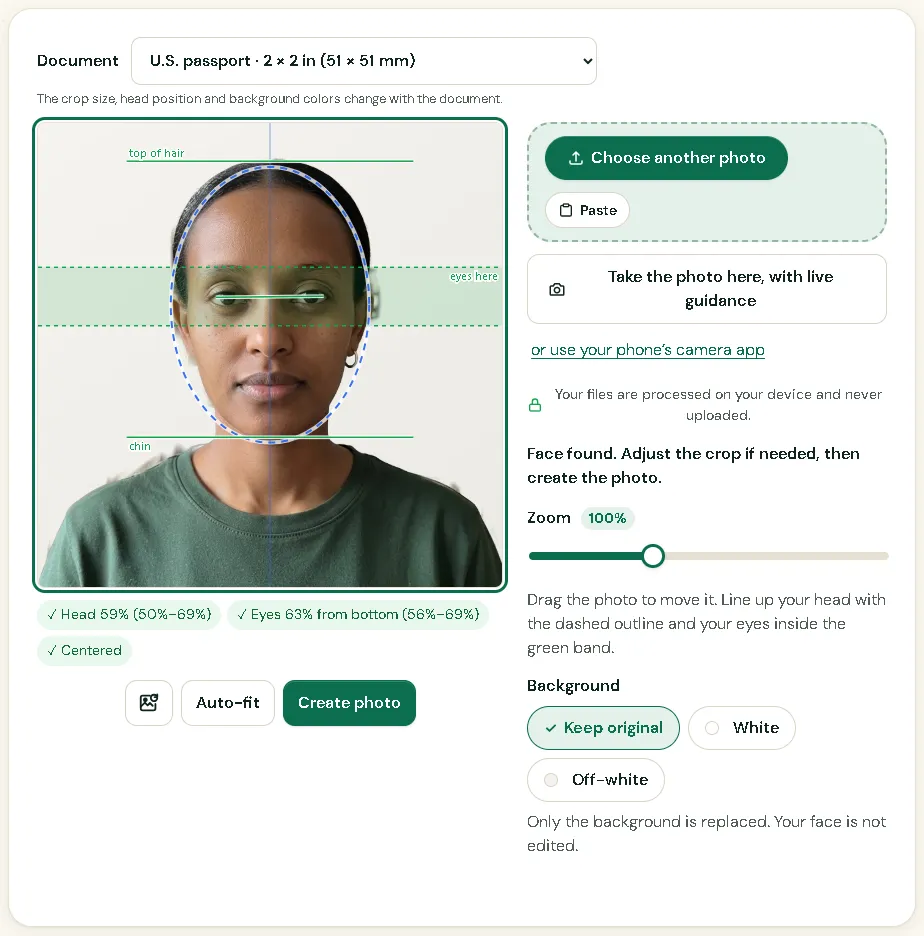
- Your face is found and the crop is set to 2 × 2 inches, with the head inside the official range. Adjust the zoom if you like.
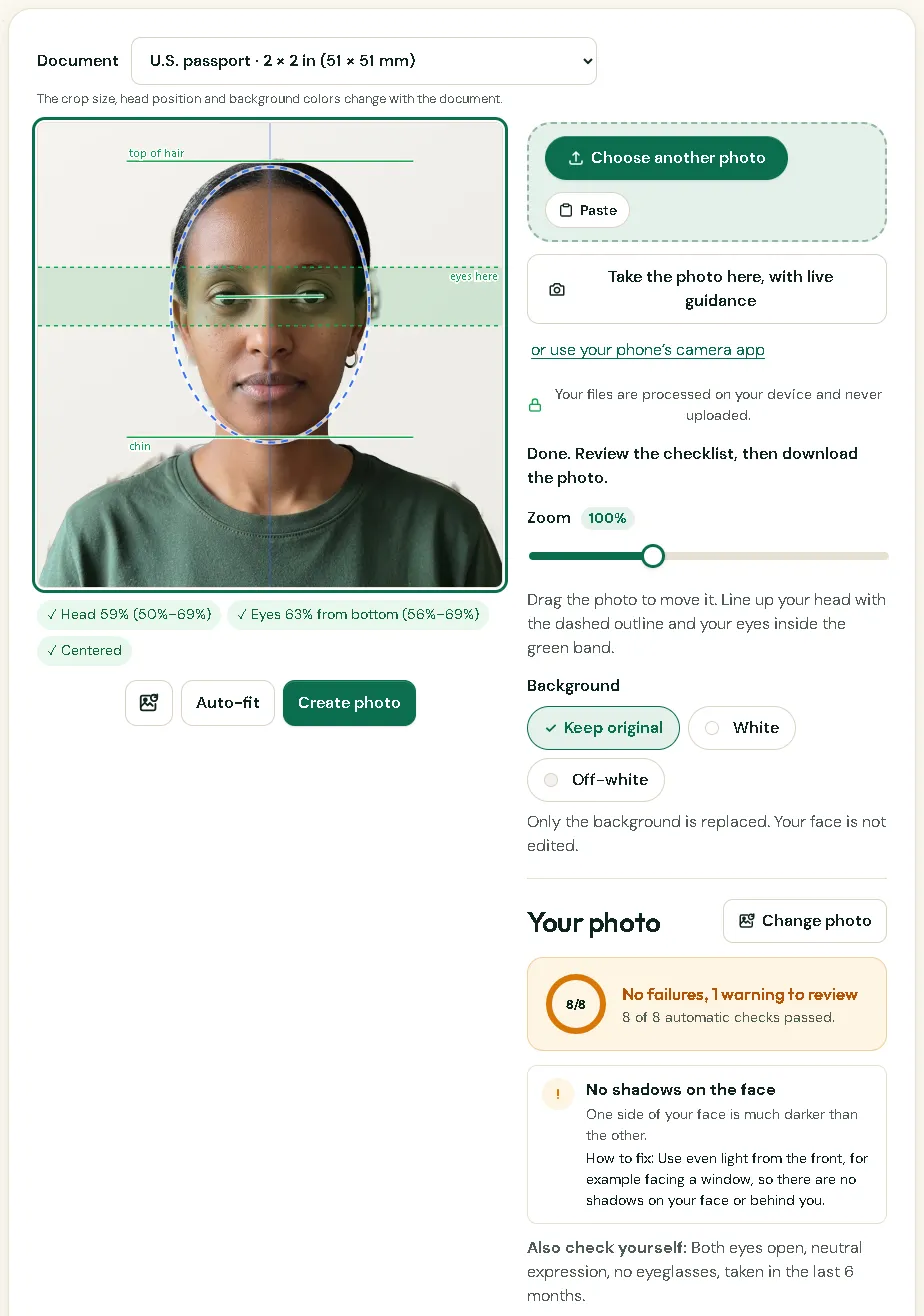
- Pick white or off-white, create the photo and read the checklist.
- Download the 600 × 600 pixel photo (2 inches at 300 DPI), or a print sheet: 6 photos on 4 × 6 in, 6 on 5 × 7 in or 15 on A4.
The photo is made on your device and never uploaded. See how to print passport photos for printing and cutting.
What happens if the photo is refused
Your application is put on hold and you are sent a letter asking for a new photo. According to the manual, if you don’t respond within 90 days, the application is denied and the fees are not refunded. So answer quickly, and get the new photo right the first time: check the head size, the background and the glasses before you send it.
How it looks in Picsawa
Screenshots of the free U.S. passport photo maker tool, made with sample photos.
Sources
- travel.state.gov — Passport photos
checked 11 October 2026 - Foreign Affairs Manual (state.gov) — 8 FAM 402.1 Passport photographs
checked 7 November 2026 - travel.state.gov — Uploading a digital photo (online renewal)
checked 7 November 2026 - U.S. Embassy & Consulates in France — Passport photos
checked 7 November 2026 - travel.state.gov — Digital image requirements
checked 11 October 2026
Picsawa is not affiliated with any government. The issuing authority makes the final decision, so always check its official instructions before you submit.
Frequently asked questions
Can I smile in a U.S. passport photo?
A neutral expression with both eyes open is what the State Department asks for. Its staff manual accepts a normal, unexaggerated smile, but a big grin or squinting is refused.
Can I wear glasses in my passport photo?
No, unless you can’t remove them for a medical reason. Then you need a signed statement from a doctor, and the frames must not cover your eyes or cause glare.
Can I take my U.S. passport photo at home?
Yes. The State Department lists a friend or family member as one way to get the photo. Ask someone else to take it, in daylight, against a plain white wall, and print it on photo-quality paper.
How many photos do I need?
One printed photo for a paper application. For an online renewal you upload a digital file of 54 KB to 10 MB instead.
Is a U.S. passport photo the same as a U.S. visa photo?
Both are 2 × 2 inches with the same head size and background, but most visa forms want a digital file. Use the U.S. visa photo tool for that.